1
Preparing for operation
8.3.6
MELSEC-WS
Parameter configuration: auto update mode
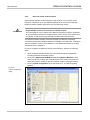
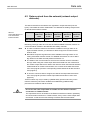
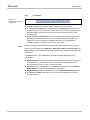
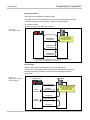
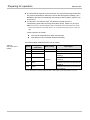
This section describes the parameter configuration for the communication in auto
update mode. The WS0-GETH automatically sends to the QJ71E71-100 at 5000
ms-interval. This allows you to read the MELSEC-WS safety controller information
(e.g. logic result, CRC, and each module status) from the QJ71E71-100 via
WS0-GETH.
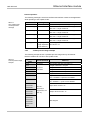
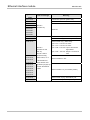
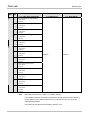
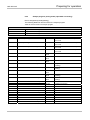
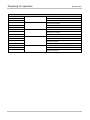
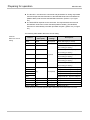
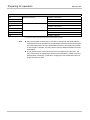
Readable data
Logic result 0 (input data set 1)
CRC (input data set 2)
Each module status (input data set 3)
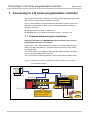
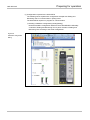
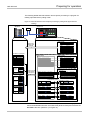
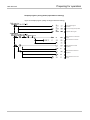
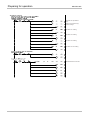
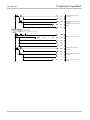
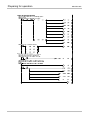
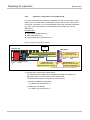
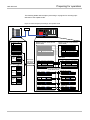
Figure 56: System configuration example
Hub
QJ71E71-100
MELSEC
Q61P
Q25HCPU
POWER
MODE
RUN
ERR.
USER
BAT .
BOOT
WS0-GETH
QJ 71E71-100
RUN
I NIT.
OPEN
SD
ERR.
C O M.
ERR .
100M
RD
Automatic transmission of input data sets
(5000 ms-interval)
[Input data set 1]
Reads the logic result 0.
USB
IP address : 92.168 .250.250
Port
: 9100
RS - 232
MITSUBISHI
IP address: 192 .168 .250 .251
Port
: 9100
[Input data set 2]
Reads the CRC of the
MELSEC-WS safety controller .
[Input data set 3]
Reads the status of CPU
module and WS0-GETH.
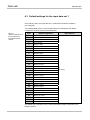
*The default settings are used for the input data set 1.
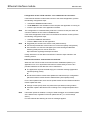
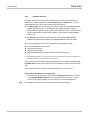
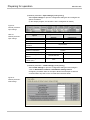
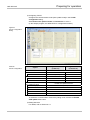
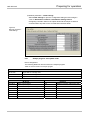
(1) Configuration required for the WS0-GETH
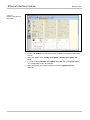
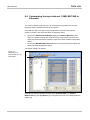
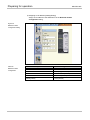
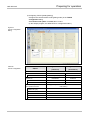
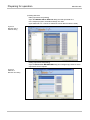
The following shows a parameter configuration example with Setting and
Monitoring Tool for communication in auto update mode.
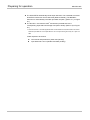
The WS0-GETH requires no program for communication.
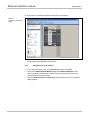
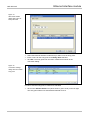
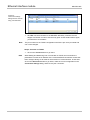
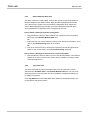
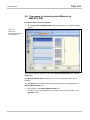
1) Creating a hardware configuration
For details, refer to Section 8.3.1.
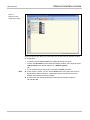
2) Assigning an IP address
For details, refer to Section 8.3.1.
96