1
DS-24-02M30 and DS-25-02M30 User’s Manual
3
Contents
Introduction to the Pantera SA 2M30 Camera____________________________________ 5
1.1 Camera Highlights.......................................................................................................................................................5
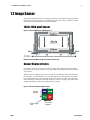
1.2 Image Sensor...............................................................................................................................................................7
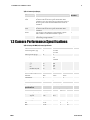
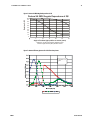
1.3 Camera Performance Specifications.............................................................................................................................8
Camera Hardware Interface________________________________________________ 11
2.1 Installation Overview...................................................................................................................................................11
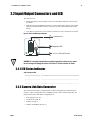
2.2 Input/Output Connectors and LED ...............................................................................................................................12
Software Interface: How to Control the Camera __________________________________ 17
3.1 Overview ......................................................................................................................................................................17
3.2 Communications Protocol Overview.............................................................................................................................18
3.3 Command Format........................................................................................................................................................18
3.4 Startup .........................................................................................................................................................................18
3.5 Saving and Restoring Settings .....................................................................................................................................18
3.6 Setting Baud Rate........................................................................................................................................................19
3.7 Selecting the Output Mode...........................................................................................................................................20
3.8 Setting Frame Rate, Exposure Time, and Exposure Mode ...........................................................................................20
3.9 Optimizing Offset Performance ...................................................................................................................................26
3.10 Setting Gains .............................................................................................................................................................26
3.11 Increasing Sensitivity with Binning (DS-24-02M30 Only) .........................................................................................27
3.12 Generating Test Patterns ...........................................................................................................................................28
3.13 Monitoring Tasks .......................................................................................................................................................28
3.14 Rebooting the Camera...............................................................................................................................................29
3.15 Setting the Pre-trigger...............................................................................................................................................29
3.16 Setting the Video Mode..............................................................................................................................................29
Optical, Mechanical, Thermal, and Handling Considerations _________________________ 31
4.1 Mechanical Interface ....................................................................................................................................................31
4.2 Optical Interface...........................................................................................................................................................33
Troubleshooting________________________________________________________ 37
5.1 Common Solutions.......................................................................................................................................................37
5.2 Troubleshooting Using the Serial Interface .................................................................................................................38
5.3 Specific Solutions .........................................................................................................................................................39
5.4 Product Support ...........................................................................................................................................................41
DALSA
03-32-10157-02