1
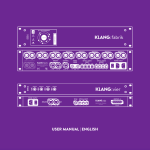
USER MANUAL | KLANG:fabrik
1
WELCOME
We would like to thank you for choosing a KLANG:fabrik. We are convinced that you will have the same positive
sound experience we have by using the KLANG:fabrik in your professional daily work – live on stage, in the studio,
in the rehearsal room. Our products have been tested to comply with the highest standards.
!
PLEASE READ THIS MANUAL CAREFULLY AND ENTIRELY. INPROPER USE MIGHT RESULT IN SERIOUS RISKS,
DAMAGES OR PROBLEMS IN COMBINATION WITH ADDITIONAL EQUIPMENT.
This quick start guide is designed to assist you in setting up your KLANG:fabrik as a fully functional 3D In-Ear
Monitoring system.
If you experience problems in setting up the system please contact us support@KLANG.com
!
PLEASE MAKE SURE THAT YOU HAVE THE FOLLOWING EQUIPMENT AVAILABLE:
•
KLANG:fabrik.
•
Computer – PC or Mac with a multi track playback software.
•
Dante Virtual Soundcard – DVS.
•
WiFi Router or network access.
•
2 network cables with RJ45 connectors (no Neutrik EtherCon cables required) – one for Dante running to the
computer, one for Control going to the WiFi router.
•
Headphone amplifier and cables with female XLR connecting KLANG:fabrik to your headphone amp or direct
connecting cables for high impedance headphones to the KLANG:fabrik.
•
Pair of headphones.
Smartphone or Tablet (optional, but good to demonstrate motion tracking if no KLANG:vektor is available). A
computer can also work as a remote control interface.
!
MAKE SURE THAT THE FIRMWARE REVISION NUMBER IS COMPATIBLE WITH THIS DOCUMENTATION.
Current KLANG:fabrik Firmware Revision: 1.4.8.
© KLANG:technologies GmbH, Aachen, Germany, 2014 | All rights reserved | V0.1.2– 30-Jan-15
2