1
im Vertrieb von
CAMBOARD
Electronics
Operating the VS-42HC
8.3 Locking the Front Panel
To prevent changing the settings accidentally or tampering with the unit via
the front panel buttons, lock1 your VS-42HC. Unlocking releases the
protection mechanism.
To lock the VS-42HC:
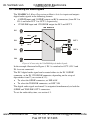
Press the LOCK button
The LOCK button blinks. After pressing the LOCK button a second time,
the front panel is locked. Pressing any other buttons will have no effect
To unlock the VS-42HC:
Press the illuminated LOCK button
The LOCK button blinks
When pressing it a second time, the LOCK button no longer illuminates
and the front panel unlocks
1 Nevertheless, even though the front panel is locked you can still operate via Ethernet, RS-232 and RS-485, as well as via the
Kramer IR Remote Control Transmitter
www.camboard.de
23
Tel. 07131 911201ce-info@camboard.de
Fax 07131 911203