1
LASTER Technologies
Pro Mobile Display G2
Table of Contents
1.Overview.............................................................................................................................6
1.1. Introduction and main features........................................................................................................ 6
1.2.Technical data.................................................................................................................................. 6
1.2.1.Specifications............................................................................................................................. 6
1.2.2.SDK Add-on (options)................................................................................................................. 7
1.2.3.System Requirements ................................................................................................................ 7
2.Safety Instructions...............................................................................................................7
2.1.Health concerns .............................................................................................................................. 7
2.2.General safety recommendations..................................................................................................... 8
2.3.Warning for electrical products......................................................................................................... 8
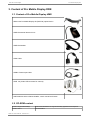
3.Content of Pro Mobile Display DRK ...................................................................................9
3.1.Content of Pro Mobile Display HMD.................................................................................................9
3.2.CD-ROM content.............................................................................................................................. 9
3.3.Description..................................................................................................................................... 10
3.4.General operating instructions........................................................................................................ 11
3.4.1.Preparation............................................................................................................................... 11
3.4.2.Connecting to external video sources......................................................................................... 11
3.4.3.Adjusting the PMD.................................................................................................................... 12
3.4.4.Focus adjustment & image brightness control ............................................................................14
4.Enhanced View Driver guide (EV Driver)..........................................................................16
4.1.Install.............................................................................................................................................. 16
4.1.1.Microsoft .Net framework........................................................................................................... 16
4.1.2.EV Driver setup........................................................................................................................ 16
4.2.Using EV Driver.............................................................................................................................. 17
4.2.1.Principle................................................................................................................................... 17
4.2.2.Windows « extended desktop » mode.......................................................................................17
4.2.3.EV Driver launch....................................................................................................................... 18
4.3.EV Driver Interface......................................................................................................................... 19
4.3.1.User level................................................................................................................................. 19
4.3.2.Information group box............................................................................................................... 19
4.3.3.Parameters............................................................................................................................... 20
4.3.4.Tool group box – visual target.................................................................................................... 22
4.4.Uninstall.......................................................................................................................................... 23
5.Camera..............................................................................................................................24
5.1.Install the camera........................................................................................................................... 24
5.1.1.Microsoft Windows Vista / Microsoft Windows 7.........................................................................24
5.1.2.Microsoft Windows XP.............................................................................................................. 24
5.2.Testing the camera......................................................................................................................... 26
5.2.1.Microsoft Windows XP.............................................................................................................. 26
5.2.2.Microsoft Windows Vista / Microsoft Windows 7.........................................................................27
6.Augmented reality applications.........................................................................................28
6.1.Background transparency............................................................................................................... 28
PMD G2 User's Manual - Release v1.3
-3-