1
LASTER Technologies
Pro Mobile Display G2
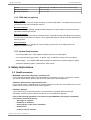
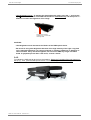
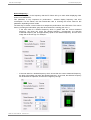
• Ultra-brightness mode : To activate the ultra-brightness mode, press the “-” and “Image
flip” P buttons on the side of the PMD electronic box simultaneously, and then press “+”
button to increase the brightness of the image.
Push these two buttons
simultaneously to activate the
ultra-bright mode
CAUTION :
• Ultra-brightness mode decreases the lifetime of the PMD optical device.
• Be careful in using ultra-brightness because of the high intensity of the light. Long-time
use in maximal brightness can cause eye fatigue or irritation, headaches or dizziness or
others troubles. If any discomfort appears, do not use the PMD any longer and take a
break. If symptoms persist after a few hours, consult a doctor.
3.4.5.
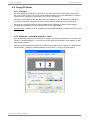
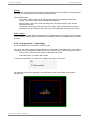
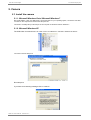
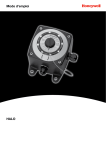
To unfasten the PMD optical device from the headset : Rotate the Translation Ring until it stops on
the top (1). Then, push the PMD optical device out of the linear guide of the headset (2)
1
PMD G2 User's Manual - Release v1.3
- 15 -
2