1
EN
RECORDS
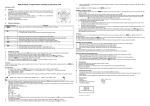
Press “MEM” button to access the memory. The monitor will display the
calculated average of the last three readings first. Press “MEM/UP” button or
“SET/DOWN” button to rotate the history records. “MEM/UP” to go forward;
“SET/DOWN” to go backward.
TIPS FOR MEASUREMENT
Optimal
Normal
High-normal
Mild
Moderate
Severe
SYS
<120
120-129
130-139
140-159
160-179
≥180
DIA
<80
80-84
85-89
90-99
100-109
≥110
* The blood pressure classification published by World Health Organization
(WHO) and International Society of Hypertension (ISH).
TROUBLESHOOTING
1
E2 The cuff is very tight.
E3 The pressure of the cuff is excess.
E9 Product has not been activated.
E10/11 The monitor detected motion while measuring.
E20 Measurement process does not detect the pulse signal.
E21 Measure incorrectly.
Eexx A calibration error occurred.
Lo Low Battery. Recharge the product with USB cable.
WARRANTY & ENVIRONMENT PROTECTION
This product is guaranteed for 2 years against material and manufacturing
defects. During this period, such defects will be repaired free of charge (proof
of purchase must be presented if the scale is under warranty). This warranty
does not cover damage resulting from accidents, improper use or negligence.
If you have a complaint please contact the store where you purchased the
product first.
Waste electrical products should not be disposed of with household
waste. Please recycle where facilities exist. Check with your local
authority or retailer for recycling advice.
7