1
9
zolo installation manual
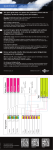
Connect ZOLO to your PC via the
USB cable.
13
Use the enclosed USB
cable to connect ZOLO to the
computer containing the ZOLO
Configuration Tool.
Run the software anytime you want
by double left-clicking on the ZOLO
Configuration Tool shortcut or icon
located on the computer.
Once the software is up and
running, left-click on the USB
connection (connect-button)
in the configuration software.
Type-in a 4-digit administrator password which
is 1470 (by default) and click on the “Continue”
button.
14
15
16