1
III. Setting the security kit
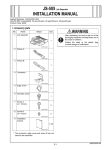
4. Attach the furnished DSC board to the shield
cover removed in step 3 (Furnished two screws)
1. Plug the power cord into the power outlet and
turn on the machine.
2. Display the Service Mode screen.
(For details of how to display the Service Mode
screen, see the service manual.)
3. Touch “System 2.”
4. Touch “Option Board Status.”
5. Touch “Set" of DSC1.
6. Touch “END.”
IV. Security setting
A0Y9IXC004DA
Note:
The following setting should be performed by the
Administrator.
5. Insert the DSC board and secure it with two
screws.
Note:
• When inserting the board, align it with the slits.
• Use the screws removed in step 3.
1. Select the function to be used as follows:
Utility/Counter → Administrator Settings → Enter
the Administrator Password → Security Settings
→ Security Details
2. Touch
two times.
3. Touch “Copy Guard.”
4. Touch “Yes.”
5. Touch “Password Copy.”
6. Touch “Yes.”
7. Touch “OK.”
8. Turn OFF and ON the Main Power Switch.
A0Y9IXC008DA
6. Reinstall the cover removed in step 2 (four
screws).
Installation Manual
E-2
Y111210-0