1
Troubleshooting
Using Compaq
Intelligent
Manageability
Features
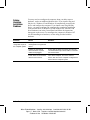
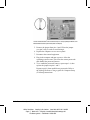
The Local Alert Pop-Up Dialog notifies you of an impending or
actual hardware failure. If the computer is connected to a
network and the Compaq Insight Management Agents are
installed and configured, a Simple Network Management
Protocol (SNMP) trap (message) is sent to the specified SNMPcompliant management application.
The Local Alert Pop-Up Dialog also tells you the steps you need
to take prior to a hardware failure to avoid loss of data and
damage to the computer. The system administrator can create a
customized action message that might include contact telephone
or pager numbers.
To close the Local Alert Pop-Up Dialog, click the Close button.
To retrieve fault information after closing the dialog, run
Computer Diagnostics.
For more detailed information, refer to the online Intelligent
Manageability guide and the Desktop Management guide.
Compaq
Configuration
Record Utility
Compaq Configuration Record Utility is an online informationgathering tool similar to other Compaq management tools. It
gathers critical hardware and software information from various
sources to give a complete view of the computer. Configuration
Record Utility provides a means for automatically identifying
and comparing configuration changes, and has the ability to
maintain a computer configuration history. The information can
be saved as a history of multiple sessions.
This utility was developed to allow resolution of problems
without taking the computer off-line and to assist in maximizing
computer availability. The information obtained by the utility is
useful in troubleshooting computer problems, and streamlines
the service process by enabling quick and easy identification of
computer configurations, which is the first step in resolving
service cases.
The Compaq Configuration Record Utility is accessed via an
icon in the Control Panel. When running the utility, information
is automatically gathered on such items as the operating system
version number, operating system parameters, and the operating
system startup files. The utility then combines this information
with information on the hardware configuration to deliver a
comprehensive view of the computer.
1-16
Troubleshooting
Writer: Elizabeth Hedstrom Saved by: Jake Schulzinger Saved date: 06/21/99 8:14 AM
Pages: 17 Words: 3780 Template: c:\msoffice\templates\comm.dot
File Name ch1.doc Part Number 122838-002