1
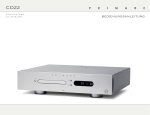
Welcome Welcome to the Primare CD21! Your CD21 is a high-quality compact disc player with analogue and digital outputs. This page shows how to set up your CD21 in four simple steps: IR DIGITAL OUTPUTS ANALOG OUTPUTS R L Analogue outputs 1 Unpack the CD21 Your CD21 is supplied with the following components: • • • Mains cable. C22 remote control. Two batteries for the remote control. If any of these items are missing please contact your supplier. We recommend you retain the packaging in case you need to transport the unit at a later date. Data RS232 SPDIF TOSlink AES/EBU Digital outputs 2 Connect to a preamplifier 3 Connect power 4 Play a CD • • Hold down the */å button on the front panel, or on the remote control, to open the tray. • Place the CD in the tray with the label facing upwards. • Press the */å button on the front panel or the remote control to close the tray. • Press the > button on the front panel, or the >/= button on the remote control to play the disc. Analogue outputs The CD21 is designed to be connected to the line input of a preamplifier. • Plug one end of the mains cable supplied with the CD21 into the power connector on the back panel, and connect the other end to a wall socket. If this cable is not suitable for your power outlets please contact your supplier for an alternative cable. Connect the ANALOG OUTPUTS to a suitable line input using a pair of analogue RCA leads. WARNING: Always disconnect the CD21 from the mains power before connecting or disconnecting any cables. Digital outputs Alternatively the CD21 Compact Disc Player provides one SPDIF, one TOSlink, and one AES/ EBU digital output for connection to a digital preamplifier or digital surround processor. • Power • Switch on the CD21, using the switch under the left-hand edge of the housing. The standby indicator will light up on the front panel. Connect the appropriate output to your preamplifier or surround processor using a suitable cable. To switch on from standby or to standby • Pressing O on the front panel or on the remote control, will change the standby mode. For more information about playing a CD, see Using the CD21, page 2.