1
Appendix C
Response File
Format
Nanometrics response files are text files that allow for exchange of instrument response
information. Atlas can read these response files to obtain instrument response, filter
groups, and individual filters.
Each response file is divided into 2 sections: a header, and a list of stages. The header
provides general information about the file as a whole, including the number of stages,
name, and start and end times. Each section is divided by a line of “-” characters. Each
stage provides information about the filter it represents, such as units, delay, poles and
zeroes, and coefficients.
Atlas only requires a field name (such as szName or rtmStartData), a colon, and
a value. Descriptions after the key name and before the colon are ignored. Atlas does
not require all the information to be present—Atlas will assume default values for any
information not present. Field names must start at the beginning of a new line.
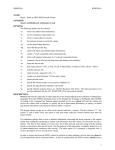
This is an example response file:
Seismometer type
= S13
Data sample rate
= 100 s/s
Selected IIR frequency = 100 mHz corner frequency
ulRespKey
unique response ID
: 1
szFilename[51]
- name of this file
: seed.rsp
szDescription
description
: 100s/s, 100mHz, S13
rtmStartDate
effective date (start)
: 2001-0803_01:29:29.0000
rtmEndDate
effective date (= start for current): 2001-0803_01:29:29.0000
rtmLoadDate
date loaded into database
: 2001-0803_01:29:29.0000
pszDBComment
database comment
:
usNumStages
number of stages in File
: 9
----------------------------------------------------------usStageNumber
response list stage number
: 1
ulStageKey
unique database stage key
: 1
usSeedBlockette
43/4.1 SEED blockette equivalent
: 43
szName
43/4.4 Unique identifying name
: S13
chSeedType
43/4.5 type of stage A,B,C or D
: A
14389R5
2005-01-20
Atlas Version 1.2
User Guide
127