1
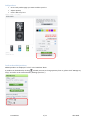
Gift coupon Use Some of your customers would like to add gift coupons to their list. The objective is to let donators • feel free about the list because they may not want to choose a specific product in the list • fix the amount of the gift accurately This is like a contribution. At the closure of the list, you will generate a credit slip to refund this total to your client who has created the list. Create a gift coupon ¾ First create a new product called « gift coupon ». Set the price (for example 10€) and add a new image by selecting the « gift.gif » file in the modules/blockwishlistpro directory. ¾ When creating his list your customer could add this gift coupon as a product. It is advised to choose “top” as priority to display it on the top of the web page (top=first). ¾ The donator will purchase this product as everyone else. Create a list Log in (or create your account if need be) Create the list 9 Click “my wishlists” in the “My account” block 9 Then click “New wishlist – Creation and directions for use” You can read the directions for use detailed in 3 sections. 9 Enter the name and save it Pro Wishlist 3 / 11 Alize Web