1
July 2008
Public
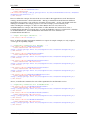
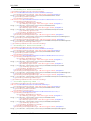
public void deactivate() {
log.info("Stopping the Semantic Repository Client bundle.");
}
}
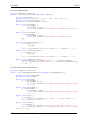
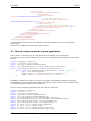
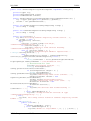
Again, this can be used as a template. Much of this code will be the same in your client service. In
fact, in most case, you’ll only need to fill in the details of the “activate” method!
If you are interested in the details of the other methods here, such as the bind and unbind methods, or
the binder context objects in the constructor, please refer to the Amigo OSGi Programming
Framework documentation, available at https://gforge.inria.fr/frs/?group_id=160.
The line after // Find services for task is where we call upon the semantic service repository
to compose available service to meet the requirements of the alarm clock task.
This will return a list of WSDL files of services that meet the task’s requirements.
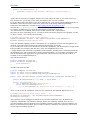
Now that you have a matching service, we want to invoke the alarm clock activate capability. To this,
we have a choice – use code like the following:
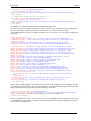
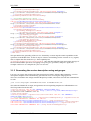
log.info("Activating alarm clock (invoker)...");
CapabilityInvoker invoker = new CapabilityInvoker(serviceWsdlUri);
invoker.invoke("AlarmClockActivate");
to use the dynamic capability invoker. This allows any of capabilities of your task description to be
invoked, even if the task description was generated dynamically at runtime!
If you would prefer to use a Java interface to invoke the capabilities, you must first have designed and
built a suitable Java interface and stub class. These are straightforward to write
– simply include each of the task’s capabilities in the interface, and then write a stub that extends the
AbstractStub class, and use doInvoke to invoke the task capability. As an example, an interface and
stub for the alarm clock application are provided below. The full source code for both of these is
available in \src\examples\alarmclock.
The interface looks like:
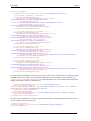
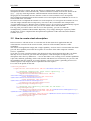
package examples.alarmclock;
public interface AlarmClock {
void activate();
}
And the stub looks like this:
package examples.alarmclock;
import fr.inria.icocoa.semrep.AbstractStub;
import fr.inria.icocoa.semrep.excp.InvocationException;
public class AlarmClockStub extends AbstractStub implements AlarmClock {
public AlarmClockStub(String wsdl) { super(wsdl); }
public void activate() {
try { doInvoke("AlarmClockActivate"); }
catch (InvocationException e) {
System.err.println("An invocation error occurred: " + e); } }
}
Then we can invoke the capabilities of the services returned by the Semantic Repository as so:
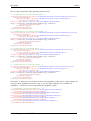
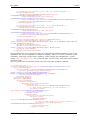
log.info("Activating alarm clock (stub)...");
AlarmClock alarmClock = new AlarmClockStub(serviceWsdlUri);
alarmClock.activate();
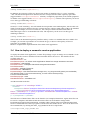
The repository can be configured to match services to tasks in different ways. By default, the
repository will matches only identical concepts. That is, the capability semantic for a service’s
provided capability must be identical to the capability semantic of the task’s required capability, for
there to be a match between them. This is termed “syntactic” matching. The repository can be set to
use this type of matching as follows:
INRIA Rocquencourt – ARLES
20