1
Concept Anchoring and Alignment Tool
User Manual
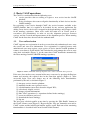
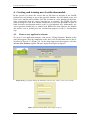
Directions are given in what follows for the creation of a new domain. In the Domain
Name field write a unique short name identifier (e.g. “edu”) that will describe the
ontology in the repository, while in the Domain Description field write the name of
the Domain as you would like it to appear in the tool and to the end user (e.g.
“Education”).
Press the “Create Domain and Upload” button in order to create the new domain in
the form of an ontology that will be uploaded on ORATE. As soon as the ontology
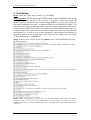
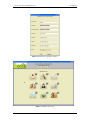
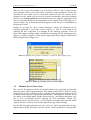
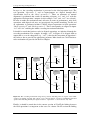
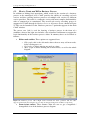
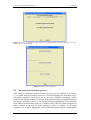
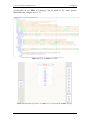
will be uploaded on the ORATE repository, a confirmation message as the one shown
in Figure 30 shows up. However, it takes some time for the ontology to appear in the
ORATE website (http://orate.iti.gr/).
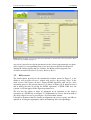
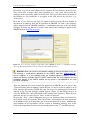
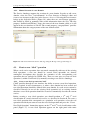
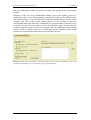
Figure 30. As soon as the ontology is uploaded on the ORATE repository, a confirmation message
shows up. This means that the ontology was been successfully uploaded.
Attention: When you create a new domain ontology in the way described so far, this
new ontology is automatically uploaded on the ORATE repository (http://orate.iti.gr),
where it appears as a new ontology under the Pending Approval category. The new
domain will be only available after the ORATE administrator will finally approve the new
ontological domain. If the ORATE website for any reason is not operational, this step
cannot be completed.
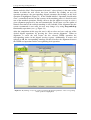
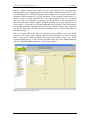
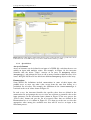
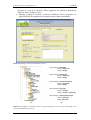
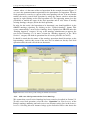
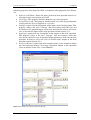
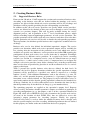
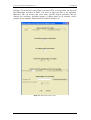
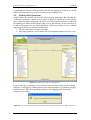
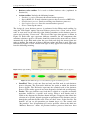
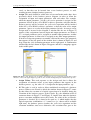
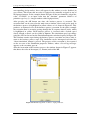
After the ontology has been created and uploaded in ORATE the user presses the
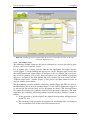
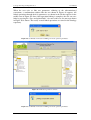
“Upload Training data for domain” button (Figure 31) and, in order to upload a set of
local domain-representative WSDL files that can be used as training data for the new
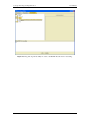
domain. A file selection dialogue window appears (Figure 32) that allows the user to
select the WSDL files, and upload them to the training data repository. When they are
uploaded, the user is ready to press “Next” in order to proceed.
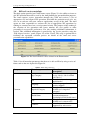
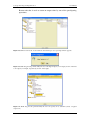
By pressing “Next”, some background processes are performed that are essential for
the creation of the new domain. More specifically, equal number of ideal operations
to the number of the wsdl operations are created and uploaded to Orate. Additionally,
equal number of real operations will be created as annotated ontology files to the
created ideal operations in order to be the training data for the 2nd classification step.
Version 3.0
28