1
DBT-268 Bluetooth GPS Receiver User’s Guide
5. Troubleshooting
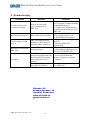
Problems
No GPS position output
but timer is running
Reasons
Weak or no GPS signal
received at the place of
DBT-268.
Wireless connection fail
Bluetooth function unstable
Can not turn the COM
port on
DBT-268 inappropriately
installed or other device is
using the same COM port
Host device can not find
DBT-268
Poor connection
No Signal
Host device may enter a
power saving mode and close
the COM port if no actions
taken on the device for a
moment.
Weak or no GPS signal when
using DBT-268 indoor
Methods
1, Go outdoors; or
2, Go to a place without building
or foliage blocking; or
3, Connect an external antenna
located at an open space to your
DBT-268.
1, Power on/off DBT-268; or
2, Re-start Host device and
re-install Bluetooth software.
1, Stop other device that is being
used; or
2, Re-install DBT-268
appropriately.
1, Re-start Host device and
re-install Bluetooth software; or
2, Power on/off DBT-268.
Close the application and
execute it again to reopen the
COM port.
Connect an external antenna to
your DBT-268.
Sintrade AG
Kriesbachstrasse 30
CH-8600 Dübendorf
www.sintrade.ch
gps@sintrade.ch
DBT-268 User’s Guide v1.0
12