1
19. Diagnostics
Appendix A
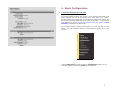
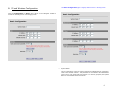
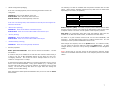
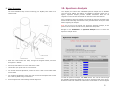
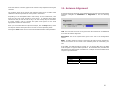
For diagnostics, navigate to Diagnostics menu to view the following:
Factory Default Values
The following table details the factory default values. These are the values that
will be set initially at the factory.
WIRELESS
Radio Spectrum bandwidth
Channel
Transmission Rate
20 MHz
5795 MHz
36 Mbps
LAN
IP Address
Subnet Mask
Login Name / Password
192.168.0.1 for Skyway 7600 or
7800 Base Stations
192.168.0.2 for Skyway 7100, 7300
or 7500 Clients
192.168.0.1 / .2 for Skyway 7101,
7301 or 7501 point to point pairs
255.255.255.0
admin / default
Appendix B
Troubleshooting Guide
1.
“I can’t get a wireless connection between units”
•
Verify that each radio has the correct RF MAC address programmed into its
link configuration.
Verify that both radios are operating on the same Radio Spectrum
Bandwidth and Frequency.
If encryption is enabled, verify that the key information been entered
correctly.
Make sure that the distance between the two radios is within the specified
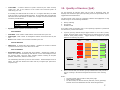
system range. A quick check of the signal strength and quality indicators
can help assess a marginal RF link. Poor indicator response may be due to
the following reasons:
- Your link distance has exceeded the unit’s capability: Review your
link budget to make sure that the system is able to handle the
distance. Use GPS devices to accurately determine the link
distance first. If you are unsure about the link budget, you may
contact Solectek Technical Support for help.
- Antenna misalignment: antennas must be aligned correctly to
achieve maximum link distance.
•
•
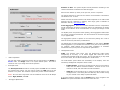
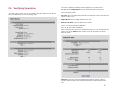
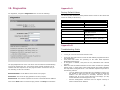
The ping diagnostics tool on the unit can be used to isolate the troubleshooting
event to the wireless link only, not involving other network elements such as
switches and host computers. You can ping the remote unit from the unit you
are accessing via the user interface.
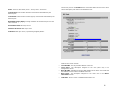
Destination Addr: The IP address of the device to be pinged.
Packet Size: The size of the ping packets to be sent (in bytes).
Packet Count: The number of packets to be sent to the destination IP address.
Click on the Start button to initiate the ping session. Click Stop to terminate it.
•
21