1
ThinOX 9 for Ino SoC Series Guide
Table of Contents
1 Introduction ______________________________________________________________________________ 5
2 Initial Installation _________________________________________________________________________ 6
2.1 Language Selection __________________________________________________________________ 7
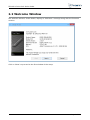
2.2 Welcome Window ____________________________________________________________________ 8
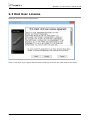
2.3 End User License _____________________________________________________________________ 9
2.4 IP Address __________________________________________________________________________ 10
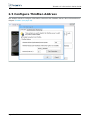
2.5 Configure ThinMan Address _________________________________________________________ 11
2.6 Assigning a Static IP Address ________________________________________________________ 12
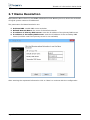
2.7 Name Resolution ____________________________________________________________________ 13
2.8 Screen Size, Video Refresh Frequency and Display Mode ____________________________ 14
2.9 Wizard Completion __________________________________________________________________ 15
2.9.1 I9010 - Thin Client Model dedicated to Citrix Infrastructure ____________________ 15
2.9.2 I9030 - Thin Client Model dedicated to RDS Infrastructure _____________________ 16
2.9.3 I9020 - Thin Client Model dedicated to VMware Infrastructure _________________ 16
3 Running Environment ___________________________________________________________________ 18
3.1 Power Management of the thin client ________________________________________________ 21
3.2 I9010 Model: User Interface after User Login ________________________________________ 22
3.3 I9020 Model: User Interface after User Login ________________________________________ 24
3.4 User Logout _________________________________________________________________________ 26
4 Configuration Settings ___________________________________________________________________ 27
4.1 General _____________________________________________________________________________ 28
4.1.1 Restore the Terminal to Factory-Default Property Setting ______________________ 28
4.2 Network ____________________________________________________________________________ 30
4.2.1 Ping Function _________________________________________________________________ 30
4.2.2 Advanced Parameters ________________________________________________________ 31
4.2.3 Hosts Table ___________________________________________________________________ 32
4.2.4 DHCP Log File ________________________________________________________________ 33
4.2.5 DHCP Leases _________________________________________________________________ 33
4.2.6 DHCP Renew _________________________________________________________________ 33
4.3 User Interface ______________________________________________________________________ 34
4.3.1 Mouse Settings _______________________________________________________________ 34
4.3.2 International Settings _________________________________________________________ 35
4.3.3 Screen Saver _________________________________________________________________ 36
4.3.4 Video Resolution ______________________________________________________________ 36
4.4 Security ____________________________________________________________________________ 40
4.5 Printers _____________________________________________________________________________ 42
4.5.1 Add Printer ___________________________________________________________________ 42
5 Control Panel ____________________________________________________________________________ 51
5.1 Citrix Receiver Options (I9010 model) _______________________________________________ 53
5.1.1 Citrix Receiver Options (I9010 model) _________________________________________ 53
5.1.2 ICA Global Settings ___________________________________________________________ 55
5.1.3 USB Options __________________________________________________________________ 58
5.2 Multimedia Codecs (I9010 model) ___________________________________________________ 61
Page 2 of 104