1
5. How to use tools p
provided b
by agriGO? edure Quick introducction to anaalysis proce
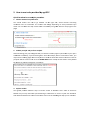
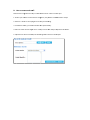
1. Choose tooll and set parrameters You should cho
oose one too
ol to go forrward. At th
he right sidee, several frrames containing anno
otation text are interactiive. The conttent will chaange depending on exactt parameterss you chosse. You can m
make the help frames sho
ow or hidden
n by using HEELP buttons aat top‐right o
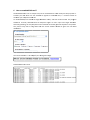
of the pagee. 2. Submit yourr job and perform analyssis Afteer submitting your job, thee agriGO will pre‐check the validity of yyour upload d
data. If your jjob is subm
mitted successsfully, a job ID will be givven. Since th
he analysis prrocess could take a while, you mayy close the waaiting page an
nd use the jo
ob ID to checkk the work latter. Please no
ote that results of yourr jobs will be stored on ou
ur server for TTHREE DAYS.. After 3 dayss all informattion of the job
b will be d
deleted. If you
u want elongation contactt me. 3. Explore resu
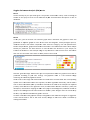
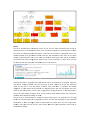
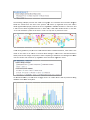
ults The agriGO provvides different ways to browse results of differeent tools. So
ome of them
m are flexible but you may need so
ome specific ssetting to maake them to castor to you
ur own demaands. And detailed intrroduction to tthese tools in
n the manual in the follow
wing will help you to achievve it.