1
Simple manual
Wireless setting and Default
Return to default
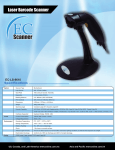
Wireless barcode scanner pair with the receiver
The scanner must be pair with a receiver then you can transfer the data
to your PC or other host.
Channel setting
We have paired the scanner with receiver and have a default channel
before we product it .And if you want make change the channel for the
scanner, please check the follow method .You can also accord to your own
needs to set channel, channel range is“ 01-20”
Method :please insert the receiver on your PC ,then in 20seconds you
use the scanner decode the “channel setting 01—20” code ,then scanner
two numbers between 0-9 (page 4 ) the number code .then you can use the
new channel .
Example : you need 06 as the new channel : pair at first then scan the
“Channel setting 01-20” then scan “0” then scan “6”that all .
Channel setting
2
01-20