1
18
Managing the IPBRICK
4.3.10
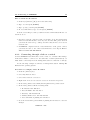
Arkeia - Backup Server
To access Arkeia’s management console, you must browse the IPBRICK web
interface to:
IPbrick - I
Backup Server
Open
It is required an initial password, this password is the same used to access the
IPBRICK web interface (GUI). At the Arkeia’s management console the default
credentials are:
• login: root
• Password: (blank password)
4.3.11
Kaspersky Anti-Spam Enterprise Edition
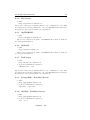
To access Kaspersky Anti-Spam for Mail Server managemente console browse
the IPBRICK web interface to:
IPbrick - c
E-Mail
Kaspersky Anti-Spam
It is required an initial authentication, the login and password are the same
used to access the IPBRICK web interface (GUI).
4.4
Licence activation
4.4.1
Licence request
IPBRICK is installed by default with a trial licence valid for 30 days. At the end
of these trial period IPBRICK will automatically restore the default Definitions.
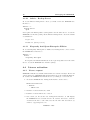
To activate the IPBRICK Permanent Licence you must proceed as follows:
1. Access the IPBRICK web management interface and browse to
Advanced Definitions
- IPBrick
- WEB Access
2. Click the ”Cancel trial licence” link
3. Push the ”Cancel trial licence” button
4. Now, when you Access the web management interface, it will display
the IPBRICK licence activation form. To activate the licence, click the
”Download the file to sent” link, save the file file.dat and sent it by
e-mail to support@ipbrick.com.
IPBRICK - 2006