1
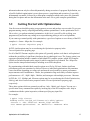
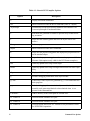
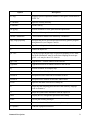
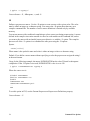
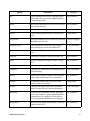
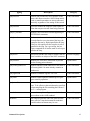
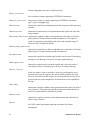
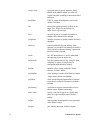
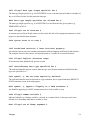
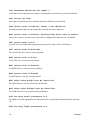
instructs the compiler not to perform idiom recognition or introduce calls to
hand-optimized vector functions.
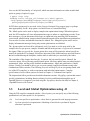
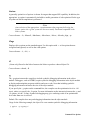
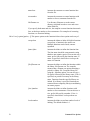
Default: For arguments that you do not specify, the default optimization control options are as
follows:
depchk
noprefetch
i4
nounroll
nofprelaxed
novect
noipa
nor8
nolre
nor8intrinsics
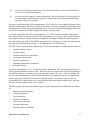
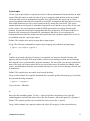
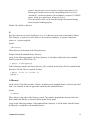
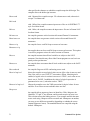
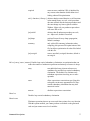
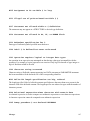
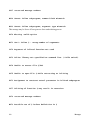
If you do not supply an option to –Mvect, the compiler uses defaults that are dependent upon the
target system.
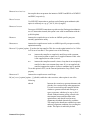
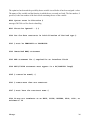
Usage: In this example, the compiler invokes the vectorizer with use of packed SSE instructions
enabled.
$ pgf95 -Mvect=sse -Mcache_align
myprog.f
Cross-reference: –g, –O
-M<pgflag>
Miscellaneous Controls
Syntax:
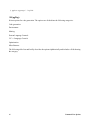
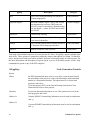
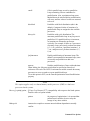
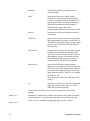
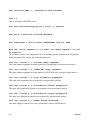
-Manno
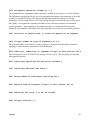
annotate the generated assembly code with source code when either the –S or
–Mkeepasm options are used.
To set this option in PVF, use the Fortran:Output:Annotated ASM Listing
property.
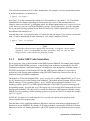
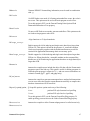
-Mbounds
Command Line Options
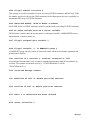
enables array bounds checking. If an array is an assumed size array, the
bounds checking only applies to the lower bound. If an array bounds violation
occurs during execution, an error message describing the error is printed and
the program terminates. The text of the error message includes the name of
the array, the location where the error occurred (the source file and the line
number in the source), and information about the out of bounds subscript (its
value, its lower and upper bounds, and its dimension). For example: PGFTNF-Subscript out of range for array a (a.f: 2) subscript=3, lower bound=1,
upper bound=2, dimension=2
81