1
PART- 1-3-1
USER SETTING - ON SCREEN (Setting effective after adjustment,no need to press “RESET”)
***** SYSTEM SWITCH SWITCHED TO ‘OFF” PRIOR TO FOLLOWING SETTING *****
(FOR THF-2005-1H-B-0 & TH-2005-1H-B-0, SW3 SWITCHED TO “SET” POSITION BEFORE START SETTING)
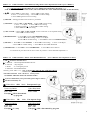
(1).℃/℉ --- 1.Press ‘SET” to enter select. 2. Press ‘OK” to enter setting,
3. Press ‘+/-‘to choose setting 4. Press OK to confirm setting.
5. Press ’SET’ again for next user setting.
(2).24H/12H --- Setting procedure same as above 5 procedures
(3).SET DATE ---1.Press ‘SET’ to SET DATE. 2. Press ‘OK’ to enter setting.
3. Press ‘+/-‘to adjust. 4. Press ‘OK’ for next setting.
5. Repeat procedure 3. 6. Press OK to confirm setting.
7. Press ‘SET’ for next user setting
(4). SET CLOCK ---1.Press ‘SET’ to SET CLOCK. 2. Press ’OK’ and ‘+/-‘ to required setting.
3. Press OK to confirm setting.
(5).DIFFERENTIAL ---1. Press SET to select ‘SET DIFFERENTIAL’
2. Press OK to enter setting. 3. Press ‘+-‘to adjust.
4. Press OK to confirm setting. 5. Press SET to select next USER SETTING.
(6).FILTER--- 1. Press SET to select FILTER. 2. Press OK to enter setting. 3. Press ‘+/-‘to adjust.
4. Press OK To confirm setting. 5. Press SET to next USER SETTING.
(7).SET RETURN ---1.Press SET to select SET RETURN. 2. Press OK to return and run.
** Continuous to press SET can let user to select any of above 7 items and make adjustment. **
PART- 1-3-2
USER SETTING - SELECTION BY DIP SWITCH
(Press “RESET” after adjustment to effect)
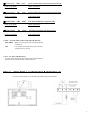
(1).SW1:For Entire TH-2005-Series
Φ 1--HP/SHC :Heat-Pump/Standard Heat & Cool
2--7d/5-2d :Day-Program
3--P6/P4 :6 or 4 Program period
4--FAN D/E:Fan Disable/Enable
**Factory preset “SW1 1 to 4-0111. on model THF-2005-1H-B-0 & TH-2005-1H-B-0
- 1110 on rest of models other than above.
**DO NOT CHANGE SW1-1 & SW1-4 Factory Preset
ON MODEL THF-2005-1H-B-0 & TH-2005-1H-B-0
Φ System 3-minute delay start protection(operate logic as below)
Φ Fan 90-second delay off
Φ-1 When Select
SHC
Mode
Under Cool Mode
Cool→ON
Fan →ON
Fan Speed:Hi/Lo determined
by program.
Φ-2 When Select
HP
Under Cool Mode
Cool→On
Fan →On
Fan Speed:Lo only.
Mode
Fan Operate Logic
Under Heat Mode
Heat→ON
Fan→ OFF
Fan Operate Logic
Under Heat Mode
Heat→On
Fan →On
Fan Speed:Hi/Lo determined by program
2