1
MODIFYING
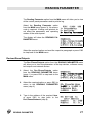
The Modifying option from the MAIN menu will allow you to disable the control panel devices, clear the Verify counters and delete the log.
To access the Main Menu from standby status ---- press any key (except RESET and TEST).
Select the Modifying option from the
MAIN menu (press 2).
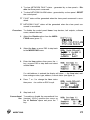
FIRE CLASS 2ØØ
1= Programming
2= Modifying
3= Reading Parameter
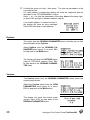
Enter the User Code (11111 at default)
each digit will be masked by Q.
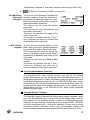
Press ↵ to confirm. If the code is valid the
display will show the MODIFYING menu.
Enter
user
code
*****
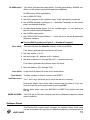
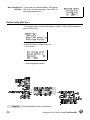
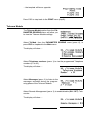
Modifying:
1=Disable
2=Del.Ver.3=Del.Log
4=Telecom Module
Select the required option and read the respective paragraph or press ESC
to step back to the MAIN menu.
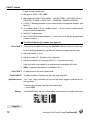
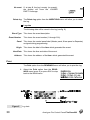
Wrong Code
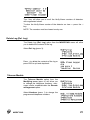
If you enter a wrong code, the display will
request Retry.
User code
Wrong !
Retry
XXXXX
User default
Code
The User default code (11111 at default) can be changed by means of the
PassWD option from the PROGRAMMING menu.
Disable
The Disable option from the MODIFYING menu can Disable/Enable the:
loop devices (monitoring or control devices);
bell outputs;
software zones;
MODIFYING
21