1
Table of Contents
Preface
About this User's Guide ....................................................................................................................... 5
Conventions ........................................................................................................................................................ 5
Where to find more information ......................................................................................................................... 5
Chapter 1
Introducing the USB-7204 .................................................................................................................... 6
USB-7204 block diagram ................................................................................................................................... 7
Chapter 2
Installing the USB-7204 ........................................................................................................................ 8
What comes with your shipment? ....................................................................................................................... 8
Hardware .......................................................................................................................................................................... 8
Documentation .................................................................................................................................................................. 8
Unpacking the USB-7204 ................................................................................................................................... 8
Installing the software ........................................................................................................................................ 8
DAQFlex .......................................................................................................................................................................... 8
Universal Library and InstaCal ......................................................................................................................................... 9
Installing the hardware ....................................................................................................................................... 9
Programming and developing applications ......................................................................................................... 9
Chapter 3
Functional Details ............................................................................................................................... 10
Analog input acquisition modes ....................................................................................................................... 10
Components ...................................................................................................................................................... 10
USB connector .................................................................................................................................................................11
OEM connector ................................................................................................................................................................11
Trigger/Sync connector....................................................................................................................................................11
USB connector .................................................................................................................................................................12
LED indicators .................................................................................................................................................................12
Screw terminals................................................................................................................................................................12
Signal connections ............................................................................................................................................ 13
Analog input ....................................................................................................................................................................13
Analog output ..................................................................................................................................................................15
Digital I/O ........................................................................................................................................................................15
Trigger input ....................................................................................................................................................................16
SYNC I/O ........................................................................................................................................................................16
Counter input ...................................................................................................................................................................16
Power output ....................................................................................................................................................................16
Ground .............................................................................................................................................................................17
Accuracy ........................................................................................................................................................... 17
Channel gain queue .......................................................................................................................................... 19
Synchronized operations................................................................................................................................... 19
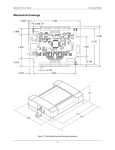
Mechanical drawing ......................................................................................................................................... 20
Chapter 4
Specifications ...................................................................................................................................... 21
Analog input ..................................................................................................................................................... 21
Analog output ................................................................................................................................................... 23
Digital input/output........................................................................................................................................... 24
External trigger ................................................................................................................................................. 24
External clock input/output............................................................................................................................... 24
Counter ............................................................................................................................................................. 25
3