1
Remote control
Overview
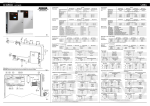
The digital remote control, available separately, may be used for remote control
of the RUSH Club Smoke Dual™. Several systems may be controlled from one
remote using the LINK function (see page 18).
Display
XLR socket
XLR socket
(on rear)
Haze button
Fog button
Functions
The remote control provides the following functions:
•
Fog button: turns fog head output on and off. Press once to start output
from fog heads and again to stop.
•
Haze button: turns haze head output on and off. Press once to start
output from haze heads and again to stop..
•
Fog level setting (FOG = 0 -100%)
•
Haze level setting (HAZE = 0 -100%)
•
Timer run time/off time settings (TRUN = 0 -99 seconds, TOFF = 0-99
seconds)
•
RunF – run mode for fog heads (RUN = OFF, STBY, TIME, CONT)
•
RunH – run mode for haze heads (RUN = STBY, TIME, CONT)
The functions are the same as on the built in control panel and are described on
page 13.
The RUN menu duplicates the functions of the Fog and Timer buttons. The
buttons are simply a quick way to control this menu function.
Connection
The remote control has two identical XLR connectors on the top and back for
connection to the RUSH Club Smoke Dual™ system. The back connector allows
the remote to be mounted into a panel or console. Plug the cable provided with
the remote control into either of these sockets and into the 3-pin XLR plug
nearest the mains switch on the top panel of the base pump unit (not the 3-pin
DMX plug).
Remote control
21