1
SINUS PENTA
BASIC
USER MANUAL
0.
STARTUP
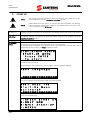
NOTE
This manual covers basic installations of the Penta drive. For more details, please refer
to the standard Sinus Penta’s Installation Instructions manual.
NOTE
SINUS PENTA drives are factory set with the IFD control algorithm (V/f) allowing
performing the first startup of the equipment. The default functions are given in this
section, particularly in step 5) Start up.
1) Inspection:
Check if the size of the Penta drive is greater than or equal to the size of the connected motor
according to the drive nameplate. See the Inspection upon Receipt of the Goods section in this manual.
2) Installation
and wiring:
The IP rating of the Penta drive is given in the Installing the Equipment section in this manual. Ensure
that sufficient ventilation is provided to the drive. More details are given in the standard Sinus Penta’s
Installation Instructions manual.
3) Power on:
Power on the drive; check if the keypad turns on.
4) Parameter
setting:
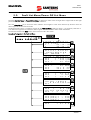
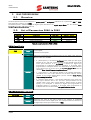
For an easier startup of the Penta drive, you can activate the Start-Up Menu. The Start-Up Menu is a
wizard allowing programming the main parameters for the connected motor.
The Start-Up Menu is displayed when the Penta drive is first started. The Start-Up Menu can be
reactivated at any time. To do so, set P265 in “Start Up” mode:
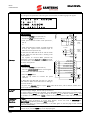
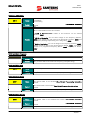
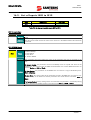
[ I D P ] S I NU S
P ENT A
S T A R T - UP
MENU
P r e s s
ENT E R
t o
s t a r t
Press Enter to enter the wizard.
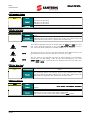
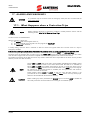
Before entering the control parameters, you are asked to choose a dialogue language:
P 2 6 3
L a n g u a g e
→@@@@@@@@@@@@@@@
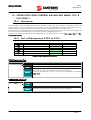
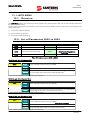
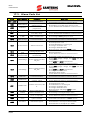
Then you are asked to choose the display mode of the Start Up Menu:
Whe n
d o e s
t he
S t a r t - U p M e n u
a c t i v a t e ?
→@@@@@@@@@@@@@@@
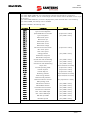
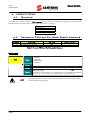
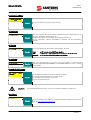
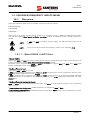
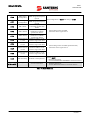
Choose one of the following:
1
2
3
4
2/65
:
:
:
:
EV E
ON L
N EX
N E V
R Y
S T A R T - U P
Y N OW
T
S T A R T - U P
E R