1
User Manual: PS020A
User Manual: PS020A
DMX-controlled 3-CHANNEL Power Supply
■ Operation
DMX-controlled 3-CHANNEL Power Supply
Upon the user’s choice, the unit can work stand-alone or may be controlled by external
DMX-controllers. Available modes:
The PS020A DMX-controlled 3-Channel power supply supplies the necessary power to
the passive RGB LED Panel unit, plus provides all necessary functional control.
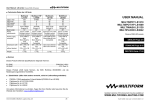
“A” Auto Mode
Press the MODE button (5) until the first digit on the display shows “A”, indicating
operation in “A” (AUTO) mode. Then choose your desired pattern by using the
UP/DOWN buttons (6/7), see list below. Changing the setting becomes effective 1
second after the new setting is made to allow stepping through presets without
previewing all intermediate presets.
NOTE: The “A” Mode is automatically disabled and can not be chosen when an
external DMX signal is received [DMX indicator LED (3) is lit].
Whilst being in pattern A 1 (static scene), turning knob (1) determines the colour,
whereas being in one of the other 26 patterns, knob (1) controls the speed or selects
the sound-to-light function (refer to below pattern list). The sound-to-light function can
be activated by setting the knob (1) inside the first 10 degrees of its travel from left
detent and it works from a built-in microphone (8) which picks up the environmental
sound. Its activity is shown by the flashing of the right dot (4) in the display. The level
for all patterns is maximum.
In “A” mode, the unit does not receive any values from the DMX input, but generates
related DMX values on the output according to the selected pattern, so that other
similar units from the Multiform LS series of LED devices can show the same pattern if
they are connected by DMX signal cables and set to Slave Mode “SLA”.
If you leave mode “A” for any reason and come back later into mode “A”, the unit will
recall the last chosen pattern (even if the unit was switched off in between). Pattern list:
User interface overview:
1
2
3
4
5
6
7
8
9
10
11
12
13
14
In A-Mode: Speed Control (except A1 = Colour Mix Control)
In C-Mode: Dim-Level-Control
Display showing the Mode, DMX-address, LOC-function etc.
Indicates presence of a DMX signal
Indicates the sound-to-light mode (internal microphone)
MODE selection button
UP-button
DOWN-button
Internal microphone
Switches on the termination for the last unit in the DMX-chain
Switching the display on or off (with delay)
Maintenance (not in use)
Power-Input 85-240V AC
DMX-Output connector
DMX-Input connector
V1.00 (06-2007) © Multiform, Leigh-on-Sea, UK
8
#
Description
Function of Knob (1)
A0
A1
A2
A3
A4
A5
A6
A7
A8
A9
A10
A11
A12
A13
A14
A15
All off
Static scene
Soft fade red-green
Soft fade green-blue
Soft fade red-blue
Soft fade red-yellow
Soft fade candy-lime
Soft fade pink-blue
Soft fade turquoise-pink
Soft fade red-green-blue (RGB)
Hard switch red-green
Hard switch green-blue
Hard switch red-blue
Hard switch red-yellow
Hard switch candy-lime
Hard switch pink-blue
none
Colour
Speed
Speed
Speed
Speed
Speed
Speed
Speed
Speed
Sound-to-light, Speed
Sound-to-light, Speed
Sound-to-light, Speed
Sound-to-light, Speed
Sound-to-light, Speed
Sound-to-light, Speed
V1.00 (06-2007) © Multiform, Leigh-on-Sea, UK
9