1
USM02204
Last Updated: July 2005
SRS Lite Software
Introduction
1
This manual is intended to provide a work-through document for engineers
who are new to the software, as well as providing a reference source of
information for experienced users. If this is the first time you are using the
Software, please work through the document from the Introduction. We also
recommend you read the user manual for the SRS Lite prior to programming if
you are new to the product.
About the SRS Lite Management Software
The SRS Lite Management Software allows you to program the SRS Lite
controller. You can:
•
•
•
•
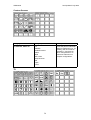
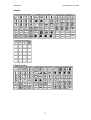
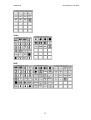
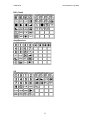
Create and arrange keypad layouts and LCD submenus
Associate icons with specific device functions. The Software contains
an extensive database of infra-red and radio codes for controlling a
wide range of appliances.
Set scan speeds and the response of the SRS Lite to switch presses to
match the client’s ability
Create a phone book.
When you have completed a configuration you can upload it to the client’s
SRS Lite controller directly. The software retains the configurations allowing
you to update or modify them at a later date.
SRS runs training courses on the SRS Lite Management Software. Please
contact your SRS representative for further details.
Installation
The SRS Lite Management Software is supplied on a CD and utilises
InstallShield for ease of installation.
Requirements for Installation
To run the SRS Lite Management Software you will need a PC/laptop
featuring:
•
Windows 95, 98, ME, NT, 2000 or XP
3