1
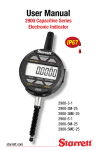
2900 Indicator User Manual
Operating Instructions
1.
2.
3.
4.
5.
6.
7.
8.
9.
Install batteries (included with indicator).
Lightly clean the contact point.
Secure the indicator to an appropriate holding device.
Press the ON/OFF button to turn the indicator on.
Select the unit of measure (inch or millimeter) by pressing the IN/mm button.
(Not applicable to metric indicator models).
Place the indicator perpendicular to the reference surface being measured.
Allow enough movement to be able to take a higher or lower measurement.
Press the ZERO button to reset the display.
Lift the spindle, remove the reference surface and place the work piece to
be measured. Put the spindle carefully on to its surface. The measured value
will be shown on the LCD.
Press and hold the ON/OFF button to turn the indicator off. If left unattended,
it will turn off automatically in 30 minutes.
Indicator Components, Dimensions & Layout
1-21/32"
(42.2mm)
Stem Cap
1/4"
(6.5mm)
2-5/64" (53mm)
Stem
3/8" (9.5mm)
Spindle
Bellows
Contact Point
Data
Cable
Spindle
Data
Output
Cover
Back Lug
1/4"
(6.5mm)
Battery
Drawer
starrett.com
3