1
Chapter 5: Configuration
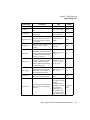
Decoded (Intermec ISCP)
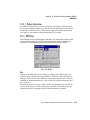
MSI Plessey
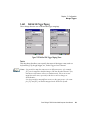
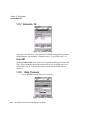
5.11.3.12 MSI Plessey
Enabled
Set this parameter to ON to enable “MSI Plessey”.
Enable Plessy
Set this parameter to ON to enable the “Plessy” bar code.
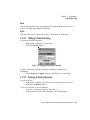
Check Digit Verification
Uses the specified algorithm of the option you've chosen to ensure the integrity of
the symbol data before transmitting. If the data does not contain that algorithm, the
data is not transmitted. The available options are: MOD 10 Check, or Double
MOD 10 Check.
Transmit Check Digit
If the check digit is to be transmitted with the data, this parameter must be enabled.
Plessy Transmit Check Digit
If the check digit is to be transmitted with the Plessy data, this parameter must
be enabled.
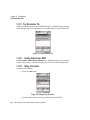
Minimum Length
Minimum lengths for the bar code can be set from 0 to 255. The length of a code
refers to the number of characters (i.e., human readable characters), including
check digit(s).
Plessy Minimum Length
Minimum lengths for the Plessy bar code can be set from 0 to 255. The length of a
code refers to the number of characters (i.e., human readable characters), including
check digit(s).
Field Size/Char
Refer to page 170 for details.
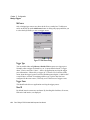
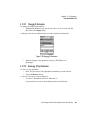
5.11.3.13 Code 11
Enabled
Set this parameter to ON to enable “Code 11”.
Psion Teklogix 7535 G2 Hand-Held Computer User Manual
191