1
FEC Remote Lighting Controller HP0656
User Installation and Operation Manual
5.2
The Main Screen
The top menu is not really a menu at all but rather the main status display page with two
states: 1) Link un-tested, and 2) Link tested.
By default the screen remains lit all of the time. To save power (particularly useful in battery
powered installations) the LCD screen back-light can be set to ‘Auto’ in which case it goes out
30 seconds after the last key was pressed or the screen was refreshed. To re-activate the
backlight, simply momentarily touch any key and the screen will light up for another 30
seconds. During an Active Period (when the controller has been commanded to turn on the
lights) the screen remains on. See section on system setup.
The screen provides all of the essential information to show the status of the system.
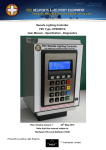
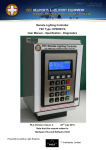
The screen on the left is showing that the link is untested, the screen to the right that it has
been tested and the lights are inactive (off).
5.2.1 Entering Menu Mode
To enter the Menu mode, simply press the function key (F4).
You will be taken immediately to the PIN challenge screen (over) before making menu
selections..
Note that the representation above is used consistently
throughout the manual.
Warning
Once the Menu Mode is selected, the system no longer monitors the GSM receiver and
will not respond to remote commands. All setups should be performed when it is known
that no movements requiring the monitoring of the lighting controller are required
Version 1.0 Issue 3
© Interleader Ltd 2014
07 July 2014
Page 14 of 36