1
[3]
Contents
About this manual
2
Contents........................................................................................................................... 3
Introduction to Kayako LiveResponse Client Application
6
Client Application feature list ............................................................................................... 7
Downloading the Client Application
9
Locating the setup files ......................................................................................................10
Getting the latest version ...................................................................................................11
Interface quick reference
12
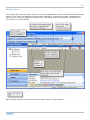
Main interface...................................................................................................................13
Chat window ....................................................................................................................14
Installation guide
15
Step one..........................................................................................................................16
Step two: License agreement..............................................................................................17
Step three: Component selection.........................................................................................18
Step four: Installation location ............................................................................................19
Step five: Completion ........................................................................................................21
First-time configuration guide
22
Step one: Copyright notice .................................................................................................23
Step two: Account settings .................................................................................................24
Step three: General settings ...............................................................................................26
Step four: Language..........................................................................................................27
Logging into the server
28
View panes
29
Monitor pane ....................................................................................................................30
Visitor information tabs.................................................................................................31
Chat history .....................................................................................................................40
Tickets ............................................................................................................................43
Ad tracking ......................................................................................................................44
Handling chats
46
Stage one: Visitor makes a chat request ..............................................................................47
Chat request accepted ..................................................................................................49
Chat unavailable or request rejected...............................................................................50
Copyright © 2001 – 2007 Kayako Infotech Ltd. www.kayako.com