1
Operating the PIP-4 Remotely
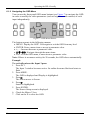
2. Click and hold on the slider, dragging it to modify the required characteristic.
For fine control of the slider, use the arrow buttons on your keyboard.
3. Click Close.
The channel video characteristic is changed.
7.1.9 Upgrading the Firmware
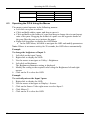
To upgrade the firmware:
1. Download the latest firmware file from http:www.kramerelectronics.com.
2. Click Device > Firmware Upgrade.
3. Browse to the firmware file that you downloaded.
4. Click Open.
The current firmware version is checked and if this is older than the
downloaded firmware, the downloaded firmware is installed.
Note: Do not interrupt the uploading process or the device may be damaged.
5. Ignore the reset message and when the process is complete, reset the device
by disconnecting the power and then reconnecting it.
7.1.10 Displaying the Device Details
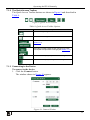
To display the device details:
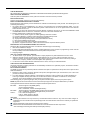
1. Click Device > Device Details.
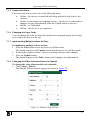
The device details are displayed, such as, model and serial number as shown
in Figure 13.
Figure 13: Device Details
18
KRAMER: SIMPLE CREATIVE TECHNOLOGY