1
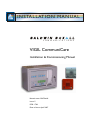
VIGIL CommuniCare
Installation & Commissioning Manual
C O M M U N I C A T I O N S
Amendment Record ___________________________________5
Proprietary Notice ____________________________________5
Safety Information ____________________________________6
Comments__________________________________________6
Technical Description
Description _________________________________________1
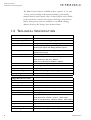
Technical Specification _________________________________2
Control Panel LEDs & Switches___________________________3
Zone Select Button & Status LEDsSystem Status & Fault LEDs - - - “All Call” and “Speak” Buttons - Handset “Speak” Button - - - - -
-
-
-
-
-
-
-
-
-
-
-
-
-
-
-
-
-
-
-
3
4
5
5
Overview of System Design Requirements
System Layout _______________________________________7
Using Slave Control Panels ______________________________8
Cable Selection ______________________________________9
Cabling Instructions ___________________________________9
Installation Examples__________________________________ 10
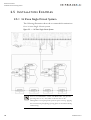
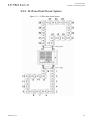
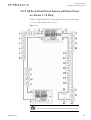
16 Zone Single Circuit System - - - - - - - - - - - - - - - - 32 Zone Dual Circuit System - - - - - - - - - - - - - - - - - 32 Zone Dual Circuit System with Slave Panel - - - - - - - - - 28 Zone Dual Circuit System with Slave Panel on Zones 1-12 Only-
-
-
-
10
11
12
13
Hardware Installation
Tools Required _____________________________________ 15
Installing and Connecting the Remote Units _________________ 16
Installing and Connecting the Control Panel(s) _______________ 19
Testing & Commissioning
Overview of the Commissioning Procedure _________________ 21
Tools Required _____________________________________ 22
BVCRnnM issue 5
1