1
Web Trader ..................................................................................................................................................................................... 2
Getting Started ............................................................................................................................................................................... 4
Logging In......................................................................................................................................................................................... 5
The Workspace .............................................................................................................................................................................. 6
Main menu ....................................................................................................................................................................................... 7
File .................................................................................................................................................................................................. 7
Instruments ................................................................................................................................................................................ 8
View ............................................................................................................................................................................................... 8
Quotes View ........................................................................................................................................................................... 9
Advanced View ...................................................................................................................................................................11
Accounts View ....................................................................................................................................................................11
Position View ......................................................................................................................................................................12
Orders View .........................................................................................................................................................................13
History View ........................................................................................................................................................................13
Alerts View ...........................................................................................................................................................................14
Charts View ..........................................................................................................................................................................14
Themes .......................................................................................................................................................................................16
Window ......................................................................................................................................................................................16
Help ..............................................................................................................................................................................................17
Drag and drop...............................................................................................................................................................................18
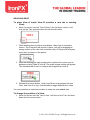
To place View A inside View B (creation a new tab in existing View): ............................................................18
To change the position of a View:....................................................................................................................................18
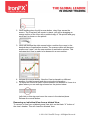
Removing an individual View from a tabbed View ..................................................................................................19
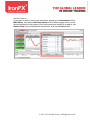
Add Instruments .........................................................................................................................................................................20
Managing Positions ....................................................................................................................................................................21
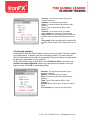
Opening a position .................................................................................................................................................................21
Modifying the position .........................................................................................................................................................21
Closing the position...............................................................................................................................................................22
Managing Orders .........................................................................................................................................................................23
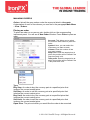
Placing an order ......................................................................................................................................................................23
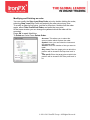
Modifying and Deleting an order .....................................................................................................................................24
Managing Alerts...........................................................................................................................................................................25
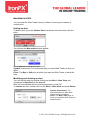
Setting an alert ........................................................................................................................................................................25
Modifying and deleting an alert .......................................................................................................................................25
Charts ...............................................................................................................................................................................................26
Chart Menu ...............................................................................................................................................................................26
Customizing the Chart..........................................................................................................................................................27
Drawing Tools .........................................................................................................................................................................28
Indicators ..................................................................................................................................................................................29
Simple Moving Average ..................................................................................................................................................30
Exponential Moving Average .......................................................................................................................................30
Momentum ...........................................................................................................................................................................30
Bolinger Band .....................................................................................................................................................................31
Adding and Closing ................................................................................................................................................................31
Exporting Chart Data ............................................................................................................................................................32
WEB TRADER
Thank you for your interest in the web-based forex trading platform. This
trading platform allows you to trade in FX from the convenience of a web-
© 2010-2013 IronFX Group. All Rights Reserved.