1
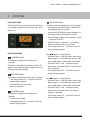
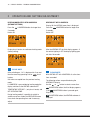
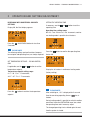
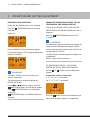
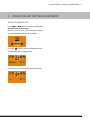
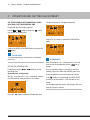
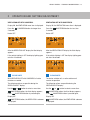
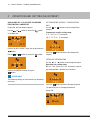
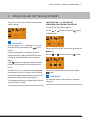
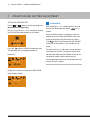
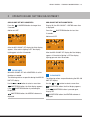
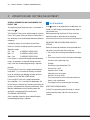
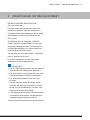
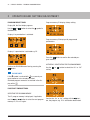
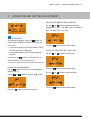
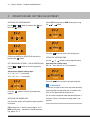
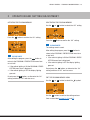
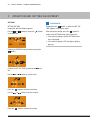
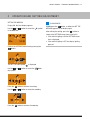
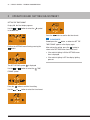
6 | Vehicle Heaters – Technical Documentation 3 O perat io n and setting /adj ustmen t Notes on operation and setting Activating the EasyStart Timer If the display is not lit the EasyStart Timer must be activated (not if heating On with Longpress). Shortpress on one of the four buttons, the Start display appears in the display, then continue with the operation or setting. Activating a menu item Flashing symbol / flashing value In the Main menu a flashing symbol in the Menu bar is activated with the button. In the submenu a flashing value can be confirmed or a selection made using the or button. Heating On with Longpress The heater is switched on immediately. An add-on heater is not switched on immediately. The symbol of the menu item to be activated appears Heating OFF with Longpress in the middle and flashing in the display. In the case of several activated menu items the symbols are displayed alternately. If a heater and an add-on unit is in operation both are switched off. Cancel / exit settings Display The display is lit during use of the EasyStart Timer. if terminal 58 is connected, with switched on vehicle lighting. if the heater / add-on heater is On. Display disappears If the vehicle lighting is switched off, no heater or add-on unit is switched on or if no setting or actuation is made, the display goes out within 10 seconds, i.e. the EasyStart Timer switches to standby. For renewed input, one of the four buttons must be pressed first (not in heating On with Longpress). The setting can be cancelled or exited by pressing the button. Confirm input The settings and changes must always be confirmed by pressing the button, otherwise they are lost. Setting the operating time The operating time can be set using the or button. Setting range of the operating time min. 10 – max. 120 minutes, the input is made in 1 min. intervals. Continuous heating mode is additionally possible for air heaters. The operating time for a heater and for an add-on unit can be set independently of each other.