1
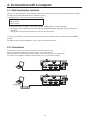
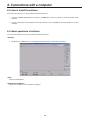
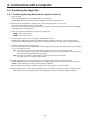
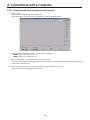
Contents 5. External device control interfaces .................... 46 5-1. LAN connection .................................................................46 5-2. TALLY/GPI .........................................................................46 6. Connections with a computer ........................... 47 6-1. Data transmission functions ..............................................47 6-2. Connections ......................................................................47 6-3. How to install the software ................................................48 6-4. Basic operations of software .............................................48 6-5. Transferring the image data ...............................................49 6-5-1. Transferring the image data from the computer to the unit....................................................................49 6-5-2. Transferring the unit’s image data to the computer ....50 6-6. Transferring the setup data ................................................51 6-6-1. Transferring the setup data from the computer to the unit....................................................................51 6-6-2. Transferring the unit’s setup data to the computer .....51 6-7. Importing the log data .......................................................52 7. Function for linking up with the remote camera controller................................... 53 7-1. Connecting the unit to the AW-RP50.................................53 7-2. Linkable functions .............................................................54 7-2-1. Switching the switcher bus materials .........................54 7-2-2. Focus assist function ..................................................54 7-2-3. Displaying the camera information .............................55 7-2-4. Displaying the camera icon ........................................56 7-2-5. Operating the unit’s parameters from the AW-RP50 .....56 7-2-6. Sending and receiving the tally information ...............56 Table of menu items ............................................... 57 Appendix (glossary) ............................................... 65 How the model’s Operating Instructions manuals are configured The manual of this Compact Live Switcher (hereafter, “the unit”) is divided into two manuals: one is the <Operations and Settings> (this manual in the CD-ROM), and the other is the <Basics>. Before installing the unit, be sure to read the <Basics> to ensure that the unit is installed correctly. 3