1
Calls
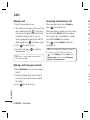
Making a call
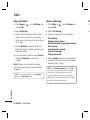
Answering and rejecting a call
Ad
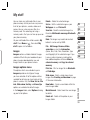
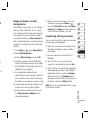
1 Make sure your phone is on.
When your phone rings, press Accept or
press
to answer the call.
To
the
ph
2 The fastest way to make a call is to activate
touch mode by pressing
. If you press
this key, you can touch the screen to enter
the phone number to call. Or, you can
use the keypad after opening the slide. To
delete a digit press
or the back arrow.
3 Press
to initiate the call.
4 To end the call, press
or slide the
keypad closed.
TIP! To enter + when making an international
call, touch and hold 0.
Making a call from your contacts
While your phone is ringing, press the camera
key, then select Silent to mute the ringing.
This is great if you have forgotten to change
your profile to Silent for a meeting.
Press
or select Reject to reject the
incoming call.
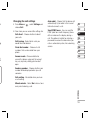
TIP! You can change the settings on your phone
to answer your calls in different ways. Press
, select Settings and choose Call. Select
Answer mode and choose from Slide open,
Any key or Accept key only.
Sp
Yo
co
1
2
3
1 Select Contacts in the menu and choose
Search.
2 Using the keypad, enter the first letter of
the contact you want to call and scroll to
the contact.
3 Press
to initiate the call.
THE BASICS
16 LG KS360 | User Guide
To
ho
ap
au