1
Other topics
8.5
66
Custom ledgers
A ledger is a set of similar accounts. It is very easy to set up new ledgers in VT
Transaction+. A new ledger can have the features of any of the built-in ledgers.
If your company has a large number of salesmen and you want to control their advances
and expense claims, you could set up an Employees ledger. If you pay commissions to
agents, you could set up an Agents ledger. If you have a large number of customer or
supplier accounts which have become dormant, you could move them to a Dormant
accounts ledger.
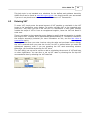
To set up a new ledger, choose the Set Up>Ledgers command. To move accounts
between ledgers, choose the Set Up>Accounts>All command and click on the Move
button.
You can enter sales and purchase invoices to accounts in custom ledgers by clicking on
the Switch ledger caption in the transaction entry dialog, or you can create a custom
transaction for use with the ledger.
8.6
Custom transaction types
Any number of custom transaction types can be set up.
For instance, you could set up a custom transaction type called Expense Claim which
would enter expense claims to accounts in the Employees ledger.
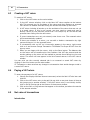
To set up or modify a custom transaction, choose the Set Up>Custom Transaction Types
command.
To enter a custom transaction, click on down arrow just to the right of the CTX button on
the main toolbar.
8.7
Year-end procedures
Introduction
There are no mandatory year-end procedures in VT Transaction+. You can set the
current year to any year at any time by clicking the Current year caption on the status
bar at the bottom of the VT Transaction+ application window. You can make entries in
the new year before you have completed the previous year.
It is possible to change the date of a year-end, or set up year-ends that are not 12
months apart, by choosing the Set Up>Year Ends command.
Behind the scenes
When you first set up a year, VT Transaction+ automatically creates year-end transfer
journals (including one for the end of the current year). These journals transfer the
balances on accounts in profit and loss account ledgers to the cumulative profit and loss
account in the balance sheet. The transfers are automatically updated whenever entries
are made or changed. The transfers are largely invisible because closing year-end
transfers are excluded from reports.