1
Contents
Project Background ............................................................................................ 5
Logging in to e5 WUI .......................................................................................... 6
Usernames and passwords................................................................................. 6
Menus and navigation ......................................................................................... 8
Screen layout ................................................................................................... 8
Finding/inputting data in e5 .............................................................................. 11
Prompt .......................................................................................................... 11
Command Line ............................................................................................... 13
Command Column .......................................................................................... 13
Calendar and Calculator ................................................................................... 14
Session management and windows ................................................................... 15
Chart of Accounts ............................................................................................. 16
Account Key ................................................................................................... 16
Analysis Key ................................................................................................... 17
Intra Company ............................................................................................... 17
Journal Batch Types ........................................................................................ 17
Invoice process ................................................................................................ 18
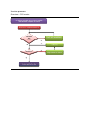
Overview – PO Invoice .................................................................................... 18
Overview – No Purchase Order Invoice.............................................................. 19
Overview – No Purchase Order Invoice/No Contact details................................... 20
No Purchase Order Invoice but either Prior Approval or Pre-Authorised ................. 21
Supplier Maintenance ....................................................................................... 23
How to Create a Supplier ................................................................................. 24
How to find new supplier from old Integra code and old from new ....................... 31
Data Entry ....................................................................................................... 34
Non-order related invoice logging ...................................................................... 38
Detailed Entry ................................................................................................ 41
Non-Order Related Invoice Data Entry............................................................... 43
Order-related invoice entry .............................................................................. 44
PA Authorised Invoices .................................................................................... 48
Pre-Authorised Invoices ................................................................................... 50
Entering multiple orders against a single invoice................................................. 53
Transaction Maintenance ...................................... Error! Bookmark not defined.
Invoice Price Clearance......................................... Error! Bookmark not defined.
Invoice Quantity Clearance ................................... Error! Bookmark not defined.
Amendment ........................................................ Error! Bookmark not defined.
Cancel Transactions ............................................. Error! Bookmark not defined.
Suspend or Release a Transaction ......................... Error! Bookmark not defined.
To Hold Payment From A Supplier ......................... Error! Bookmark not defined.
Mismatches.......................................................... Error! Bookmark not defined.
Mismatching: Quantity 1 ....................................... Error! Bookmark not defined.
Mismatching Value - 2 .......................................... Error! Bookmark not defined.
Mismatching Price - 3 ........................................... Error! Bookmark not defined.
Mismatching Miscellaneous - 4 .............................. Error! Bookmark not defined.