1
AHE1015_DRAFT_1_SYSmod_user_guide.qxd
3/10/08
Remote Control
Systemline Modular can be controlled
from the comfort of your chair, using the
elegant and ergonomically designed
anodised aluminium remote controls.
From simple activation and volume
control to more advance commands
with the highly sophisticated LRN7.
Local Input (SIM)
In-ceiling speaker
16:19
Page 5
Silver LRN7
Speakers
Elegant infra-red learning remote can
be programmed to learn commands
from source remotes and operate your
Systemline Modular system - eliminating
the need for numerous remote controls.
Back-lit blue buttons can click, beep or
be muted when pressed.
Source Selection
Select desired source
by pressing the
corresponding button,
the selected source
will be indicated by a
blue LED.
Bronze RM1
A stylish aluminium infra-red remote
control, used to operate the KPM1.1
keypad, including selection of the local
input and infra-red enabled speakers.
Mute
Press once to
mute system,
press again to
un-mute
Systemline Modular speakers, whether
in-ceiling or on wall, provide discreet,
high performance audio around your
home - no more room cluttering
speakers. For complete ease of use,
your speakers can be operated using the
on-wall keypads or remote control.
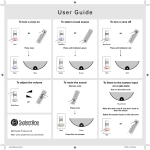
Power On/Off
Press once to turn a zone on,
the red LED on the keypad
and IR speaker will turn blue
indicating that the zone in on.
When LED is blue, press once
to turn zone off, the keypad
and IR speaker LED will
illuminate red
On-wall keypad
Remote Control
Systemline Modular speakers can be
controlled using either the on-wall
keypad or remote control (with IR
speakers). The LED colours used on the
keypad s status indicators are replicated
on the speakers.
Please see the guide on the left for
speaker colour indicators.
Red
System Off
Local Input
If a local input (SIM) has
been installed in the room it
allows quick, simple
connection of sources such
as iPod/MP3 players,
games consoles or laptops.
Press the Local Input
button to select this source
- on selection the LED
indicator on the keypad will
illuminate green.
Power On/Off
Press once to turn a zone on,
the red LED on the keypad and
IR speaker will turn blue
indicating that the zone in on.
When LED is blue, press once to
turn zone off, the keypad and IR
speaker LED will illuminate red
Volume Control
Press up or down to
adjust speaker
volume as required
Gold LRN7
‘Learning’ Buttons
Programmable buttons
that learn the control
commands to operate
your source equipment
Blue
System On and is
connected to a main
source e.g. CD player
Volume Control
Press up or down to
adjust speaker
volume as required
Green
System On and is
connected to a local
source e.g. MP3 player
Mute
Press once to
mute system,
press again to
un-mute
Red & Blue
System Protect mode
(Turn system off then
on again to reset)
Local Input
If a local input (SIM) has
been installed in the room it
allows quick, simple
connection of sources such
as iPod/MP3 players,
games consoles or laptops.
Press the Local Input
button to select this source
- on selection the LED
indicator on the keypad will
illuminate green.
Child Lock
To enable or disable the
child lock function press
and hold the Power and
Info buttons for five
seconds
+ i
Systemline Modular
on-wall speakers provide an
unobtrusive speaker solution
where traditional in-ceiling
speakers are not viable