1
The Falcon 911 is a sophisticated vehicle security system offering a
comprehensive range of security and convenience features whilst still offering
excellent ease of use.
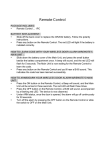
Button 1
LED
2 Car mode
switch
SPECIAL OFFER
If you wish to order spare keys and remote control units please specify
below.
TOTAL
COST
NUMBER
PRICE
OF SETS PER SET
£24.99
SPARE REMOTE
£19.99
SPARE
IMMOBILISER KEY
Please make cheques payable to Falcon Security
IF CASH IS BEING SENT PLEASE USE RECORDED DELIVERY POST
Returned completed forms to:
Falcon Security, Unit 9 Tanning Court, Warrington Cheshire, WA1 2HF
Falcon Security. Unit 9 Tanning Court, Warrington, Cheshire, WA1 2HF
Telephone: 01925 241105 Fax: 01925 418171
Internet: http://www.falcon-security.com Email: support@falcon-security.com
USER INSTRUCTIONS
FALCON 911 MK2 VEHICLE
SECURITY SYSTEM
ARMING THE SYSTEM
Manual Arming using the remote control
To arm the system press the button one on your remote control transmitter. Upon
receiving the signal the siren will chirp once to confirm that it has received the
signal and the alarm has been set, if your vehicle also has central locking
connected to the alarm system the doors will also be locked.
(Predator & Elite only: If an additional shock sensor is connected pressing and
holding both buttons immediately after arming will cause the shock sensor to be
disabled, the hazard lights will flash three times to confirm the sensor/s are
disabled.)
Silent Arm
To arm the system without the siren chirping press button two, the hazard lights will
flash once to confirm the system is arming, if your vehicle also has the central
locking connected to the alarm system the doors will also be locked.
Button 2
Auto Rearm
If the alarm system is disarmed with the remote control and a door is not opened
within 30 seconds the system will rearm itself.
REMOTE CONTROL FUNCTIONS
DISARMED &
3 CHIRPS
IGNITION ON
HOLD DOWN BUTTON
TWO FOR 2 SECS
EXIT VALET MODE
DISARMED &
3 LIGHT FLASHES
IGNITION ON
HOLD DOWN BUTTON
TWO FOR 2 SECS
VALET MODE
ANYTIME
HOLD DOWN BUTTON
1 FOR 2 SECS
EMERGENCY PANIC
ARMED
HOLD BOTH BUTTONS
FOR 2 SECS AFTER
ARMING
(PREDATOR/ELITE ONLY)
ARMED
PRESS BUTTON TWO
SILENT DISARM
1 LIGHT FLASH/DOORS
LOCK
DISARMED
PRESS BUTTON TWO
SILENT ARM
2 CHIRPS/ 2 LIGHT FLASHES/
DOORS UNLOCK
ARMED
PRESS BUTTON ONE
DISARM
1 CHIRP/1 LIGHT FLASH/
DOORS LOCK
DISARMED
PRESS BUTTON ONE
ARM
ORIGINAL
STATUS
BUTTON OPERATION
FUNCTIONS
SHOCK SENSOR
DELETE
ACTIVITY
2 LIGHT FLASHES/DOORS
UNLOCK
3 LIGHT FLASHES
SIREN/LIGHTS FLASH
UNTIL BUTTON 1 PRESSED
PRESS BOTH BUTTONS
IGNITION ON 2 LIGHT FLASHES
FOR TWO SECONDS
ANTI-HIJACK
Passive Arming
With passive arming enabled* you cannot leave your vehicle unprotected, even if
you forget to arm your system it will arm itself 30 seconds after you have turned off
your ignition and the last door has been shut.
*Passive arming can be enabled or disabled at the time of installation by your
installer.
DISARMING THE SYSTEM
Disarming using the remote control
When you return to your vehicle simply press button one to disarm the alarm
system (and unlock the doors if connected).
Silent Disarm
Press button two and the alarm will disarm silently and flash the hazard lights twice
as confirmation.
Disarming without the remote control
Should you have lost your remote control or the battery has gone flat then the
alarm system can be disabled by following this procedure:
Open door (siren will sound)
Switch the ignition on
Press the hidden override switch
The system is now disarmed
Two Stage Disarm
To stop the alarm whilst triggering press button one and the siren sounding/lights
flashing will stop but the alarm will remain armed. Press button one again to
disarm the alarm.