1
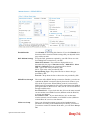
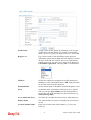
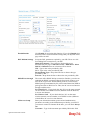
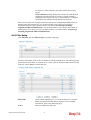
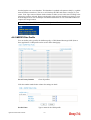
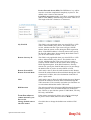
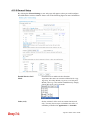
Profile Name
Type the name for such profile.
Priority
It determines the action that this router will apply.
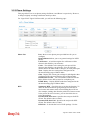
Both: Pass – The router will let all the packages that match with
the conditions specified in URL Access Control and Web Feature
below passing through. When you choose this setting, both
configuration set in this page for URL Access Control and Web
Feature will be inactive.
Both:Block –The router will block all the packages that match
with the conditions specified in URL Access Control and Web
Feature below. When you choose this setting, both configuration
set in this page for URL Access Control and Web Feature will be
inactive.
Either: URL Access Control First – When all the packages
matching with the conditions specified in URL Access Control and
Web Feature below, such function can determine the priority for
the actions executed. For this one, the router will process the
packages with the conditions set below for URL first, then Web
feature second.
Either: Web Feature First –When all the packages matching with
the conditions specified in URL Access Control and Web Feature
below, such function can determine the priority for the actions
executed. For this one, the router will process the packages with
the conditions set below for web feature first, then URL second.
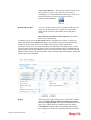
Log
None – There is no log file will be recorded for this profile.
Pass – Only the log about Pass will be recorded in Syslog.
Block – Only the log about Block will be recorded in Syslog.
Vigor2710 Series User’s Guide
125