1
User Guide
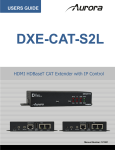
Front & Rear Panel DXE-CAT-TX1
Front LED Indicators
• IR Out – Blinks when emitting IR to device from IR Port. It is normal to be lit if nothing is plug
into IR port.
• IR In – Blinks when receiving IR from IR port. It is normal to be lit if nothing is plug into IR port.
• TX – RS-232 Transmit. Blinking rate and intensity will vary with baud rate.
• RX – RS-232 Receive. Blinking rate and intensity will vary with baud rate.
• HDBT – Lights when HDBaseT RJ-45 has proper connection between an RX/TX pair. Blinks
when in sleep mode.
• HDMI – Will light solid if HDMI is plugged in on both RX/TX and HDCP is present. If no HDCP
LED will blink.
• POWER – Lights green when power is present.
• STATUS – Will blink steady if unit is working properly.
Front Pin-hole buttons
• Reset – Use paper clip or similar object to reset unit by pushing into hole.
• Setup – Not used for DXE-CAT-TX1.
Rear Connections
• 24V DC – Power connector for 15 watt 24VDC power supply. Note only 1 supply is required to
power both units. Either side can send power to the other unit.
• IR – Plug the IR receiver or emitter into this port. It will auto detect the mode of operation
required.
• RS-232 – Connect RS-232 device up to 115k baud.
• HDBaseT – Connect CAT 5e/6/7 cable. Shield cable is not necessary unless the environment
has a lot of electrically noise.
• HDMI Input – Plug HDMI cable from source device like a BluRay player. Note the HDMI cable
should be rated for the bandwidth you are using.
3