1
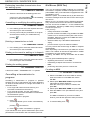
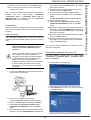
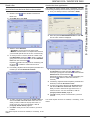
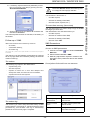
5 If necessary, adjust the advanced parameters (to send
later or give priority to the SMS) by pressing the button
ADVANCED PARAMETERS.
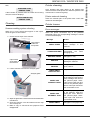
The button DELETE deletes the entire log and
not simply the message(s) selected.
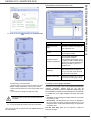
The information in the sent box is:
-
the SMS recipient,
-
the date of sending of the SMS,
-
the status (sent, rejected, etc...).
The sent item memory (items sent)
6 Click on OK to send your SMS to all contacts in the
field LIST OF RECIPIENTS.
Your send request can then be checked, if necessary, in
the outbox.
Follow-up of SMS
SMS communications are monitored by means of:
-
an outbox,
-
a sent item memory,
-
an outbox log.
The sent item memory is used to keep a copy of all SMS
messages you have sent.
The information in the sent item memory is:
-
the SMS recipient,
-
the date of creation of the SMS,
-
the date of sending of the SMS,
-
the size of the SMS.
SMS Parameters
Access to SMS parameters
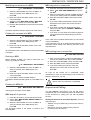
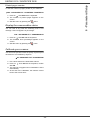
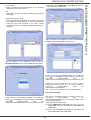
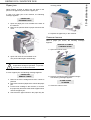
1 Click the icon SMS
of the window COMPANION
DIRECTOR.
2 Select TOOLS > OPTIONS > SMS.
3 Make any adjustments required in relation to the
description of the parameters above and validate
with OK.
These services make it possible to have complete information on the terminal activity with regard to
communications.
The outbox log is automatically printed when its contents
fill an A4 page. After this automatic printing, the terminal
creates a new log.
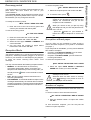
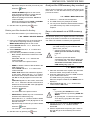
The outbox
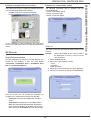
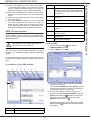
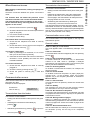
Description of the tab LOGS AND REPORTS
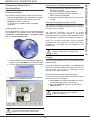
The following is grouped in the SMS outbox:
-
requests being sent,
-
send later requests,
-
requests for which one or more send attempts have
already been made, and which will soon be redialed,
-
requests which have been rejected.
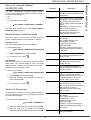
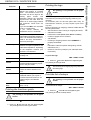
Field
Description
Automatic printing of a
sent document
The SMS is automatically printed
when it is sent.
Printing of a send
report
An outbox report is printed after
each fax is sent.
Printing of the outbox
log
The log is automatically printed
when it fills an A4 page.
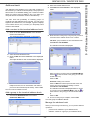
The outbox log
The outbox log is used to keep the entire history of SMS
communications (successful or rejected) that have been
processed by your terminal. The log is automatically
printed as soon as an A4 page is complete.
- 48 -
9 - PC Features (Model OKIOFFICE 2530)
OKIFAX 2510 / OKIOFFICE 2530