1
DAB2000 User Guide
TABLE OF CONTENTS
INTRODUCTION
CONTENTS OF PACKAGE
INSTALLATION
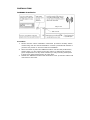
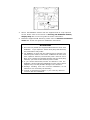
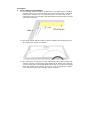
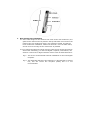
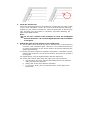
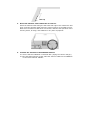
DAB2000 Installation
Antenna Installation
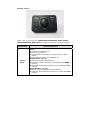
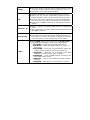
OVERVIEW OF CONTROLS AND CONNECTORS
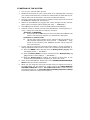
STARTING UP THE SYSTEM
USING REMOTE CONTROL KEYS
To turn on or off DAB2000
To listen to the DAB stations
To display station’s information
To set a DAB preset mode
To save a DAB memory preset
To recall a DAB memory preset
To set the auxiliary input mode
To recall the last listened DAB station
To display the current FM transmitting frequency
To set the FM transmitting frequency
To save a desired FM transmitting frequency in memory
To recall FM transmitting frequency saved in memory
To perform an immediate frequency change
MENU SETTINGS
To reset FM transmitting frequency setting
To set FM transmitting frequency setting to preset F1
To scan for the DAB stations
To enable AFC (Automatic Frequency Change)
To enable auto scan
To set antenna power
To reset DAB presets
To restore to factory settings
To display software version
To upgrade software
TROUBLESHOOTING
TECHNICAL SPECIFICATIONS
INFORMATION ON WASTE DISPOSAL