1
1.0 Welcome to MySagePay
MySagePay is your own administration area that allows you to manage your Sage Pay
account without needing your own management software.
You are able to view all of your transactions, create and define reports, search for
customer transactions, process phone based orders, and much more.
In this guide we will outline everything your MySagePay admin panel can do, and how you
can do it.
Every account with Sage Pay has 2 versions of MySagePay available to them, a Test and
a Live area. Both the Test and Live systems look and work in the same way. In this guide
we will provide information that can be used on either platform.
1.1
Logging into MySagePay
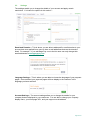
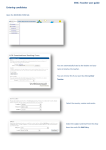
The first thing you will need to do before you can use your MySagePay is to log in. To do
this you must go to the MySagePay login page.
The URLs that you will need to enter into your browsers for MySagePay are –
TEST Server
https://test.sagepay.com/MySagePay
LIVE Server
https://live.sagepay.com/MySagePay
After reaching the login page you will be able to enter your details and log into your
account.
Page 3 of 27