1
AudaEnterprise Gold User Guide
1. Introduction
This User Guide provides an introduction to working with assessments in AudaEnterprise. The guide
assumes experience with AudaWorkstation, AudaPad, AudaEnterprise v2.0 or AudaEnterprise Mobile
Solution v3.1, and general use of Microsoft Windows applications.
NOTE: All references in this document to ‘managing connectivity’, ‘online / offline’ and ‘synchronisation’
are only applicable to users of AudaEnterprise Gold Mobile Solution; they are not applicable to the
Desktop Solution. Information that is only applicable to AudaEnterprise Gold Mobile Solution is
shown with an icon
2. Getting Started with Assessments
2.1 Creating an assessment
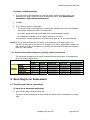
To create an assessment
1. From the Main Index, Assessment menu select Create Assessment, or from the toolbar
click
.
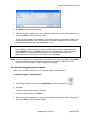
The Create New Assessment screen is displayed.
2. Select the Work Provider from the drop-down list.
The Work Provider defaults to the previously selected Work Provider. The last five Work
Providers are displayed at the top of the drop-down list.
NOTE: If you have a template associated with the selected Work Provider, on creating the assessment,
the information in the template, for example addresses and rates, is automatically included. For
further information about templates, see Managing Templates on page 36.
3. If necessary, enter or edit the Assessment Number.
The first time you create an assessment, the Assessment Number field is blank. When you
subsequently create an assessment, the next sequential assessment number is automatically
displayed.
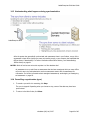
NOTE: The Assessment Number must be unique. If you create an assessment offline, when you
subsequently return to online connectivity and synchronise the assessment, the system checks
that the assessment number is unique.
©Audatex (UK) Ltd, 2007
Page 3 of 46