1
Server-Based Categorization and Validation - A server that maintains a list of categorized URLs (Universal
Resource Locator). The server is updated regularly to ensure that all users are getting the most up to date
accurate information. The server does not actually deliver the requested web page (URL) to the customer but
compares the requested URL to the list.
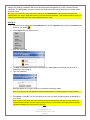
Shortcut Menu - A popup menu that appears by right-clicking an object. When left-clicking once or right-clicking
the ContentProtect icon from the System Tray located in the Taskbar, the same popup menu is displayed.
System Tray - Located on the Windows Taskbar (usually at the bottom next to the clock) contains miniature icons
for easy access to system functions such as fax, printer, modem, volume, and more.
Taskbar - A system bar located at the bottom of your screen. The Taskbar is home base for the Start button,
system clock, system tray, etc.
Transaction detail - Activity information based on report results.
Tutorial - An interactive multimedia presentation that explains program features.
URL - Universal Resource Locator. An address on the Internet, the URL shows the specific path that locates a
site or a document online. The URL for a Web page looks like this:
http://www.domain name/folder name/filename
User - An individual who uses a computer.
User ID - An identifier that identifies a specific user in a program.
User Profile - Program settings that are specific to an individual user.
WWW - World Wide Web - The Web is the visual component of the Internet. Created with HTML language, Web
pages can include text, pictures, sound clips, video, links for downloading software, and much more. The Web is
only one component of the Internet, although the terms are often (and mistakenly) interchanged.
Web-Based Reporting - Reports that have compiled Web and Chat activity for a ContentProtect family and are
accessible from any computer with Internet access (When enabled through a subscription-based Premium
Service).
Frequently Asked Questions (FAQs)
Can I be notified at work when my kids are trying to view inappropriate sites?
As the Administrator you can specify an email address where you would like to receive notices. You can set each
profile to send a notice for one, or all of the following:
! When a user receives a warn message
! When a user receives a blocked message
! When a user overrides a block
How do I get email notifications at work?
Sign in as Administrator; locate the Administrator Settings section of that window. Check the check box “I want to
receive email notifications”, enter an accurate email address where you want to receive notifications, and click
Apply.
Can I make changes to my child's profiles from work?
ContentProtect has the unique option to allow you to remotely manage profile settings (When enabled through a
subscription-based Premium Service). You can access Web-based reporting from cp.contentwatch.com and
select the Remote Management tab to make changes to specific profile settings.
Can my kids disable ContentProtect software?
We have gone to great lengths to make sure that ContentProtect will be difficult to bypass. A password is required
to uninstall or make any alterations to settings.
Do I have to change my ISP account to use ContentProtect?
No, ContentProtect will function with most ISPs. Since ContentProtect is installed on your computer it doesn't
conflict with anything your ISP is doing.
ContentWatch, Inc.
ContentProtect User Guide
Page 69